

Order management
Fortune 5 company • 60M+ digital customers
Role: Lead Product Designer
Platforms: iOS • Android • Web
Partners: Product • Pharmacy • Research • Content • Accessibility • Engineering
Tools: Figma
Order Management is where customers take action: canceling orders, messaging the pharmacy, and managing prescriptions. These are often time-sensitive moments where customers need to quickly find the right action and feel confident they're making the right decision.
After redesigning Your Orders, I used that work as a springboard for a strategic initiative to rethink the broader order management experience. The interface felt crowded, difficult to scan, and buried important actions beneath long pages of content. For customers managing essential medications, improving clarity wasn't just a usability issue, it was critical.
Research
Research from the Your Orders usability study showed that customers relied heavily on the primary status and often missed secondary details. When I reviewed Order Management, I found the same pattern playing out across every screen.
The issues were consistent: excessive copy, overly complex layouts, cognitive overload, directive language that felt transactional rather than supportive, and visual noise that made everything feel urgent even when it wasn't.
A competitive review of Walgreens, Amazon Pharmacy, and Capsule confirmed what the research was pointing to. The strongest pharmacy experiences were calm, simple, and action-led.
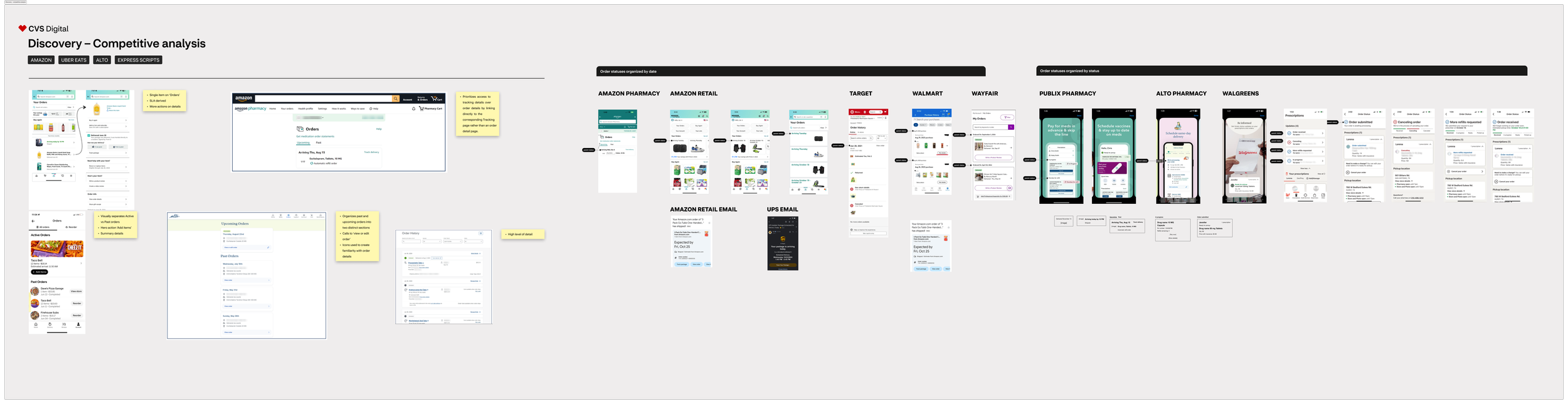
Before
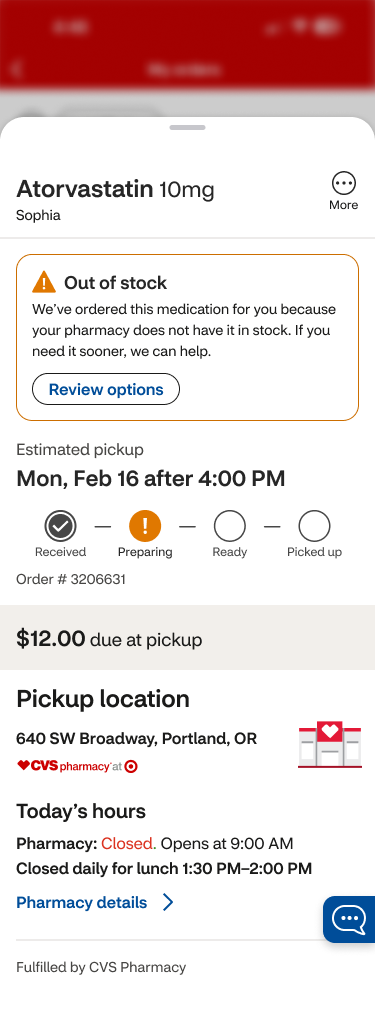
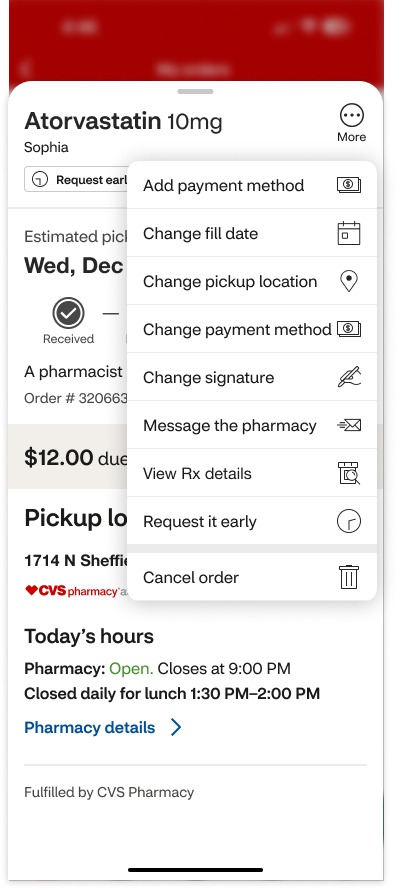
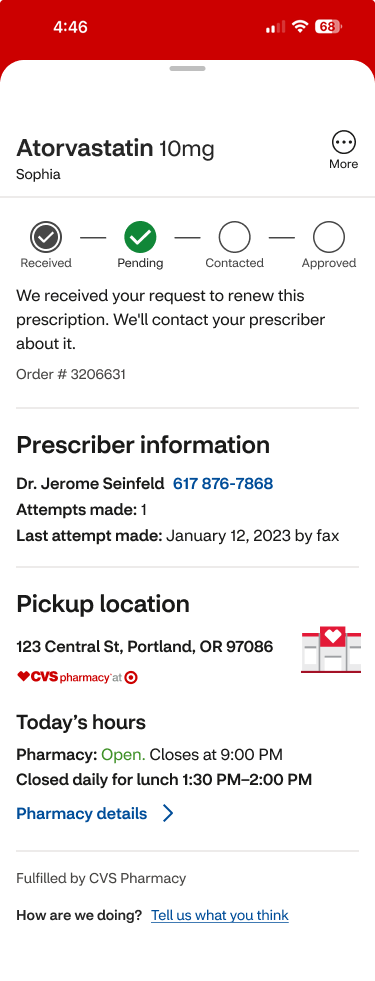
The design system
Building on those insights, I focused on a clear set of principles: one status and one next step per screen, no conflicting messages, urgent actions surfaced first, calm and scannable layouts, and reusable components built to scale.
I created mobile-first flows using scalable patterns that covered edge cases and reduced confusion at the exact moment customers needed to act. AI tools supported faster synthesis and copy refinement throughout.
Cancel order
Order details
The final designs
To ensure consistency across pharmacy, I aligned the Order Management screens with the CVS design system and the patterns established in the Your Orders redesign. That meant consistent status treatments, standardized CTA hierarchy, reusable content structures, and shared component patterns across every screen.
Order details
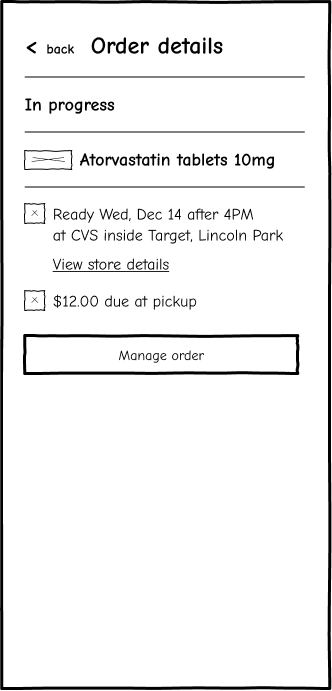
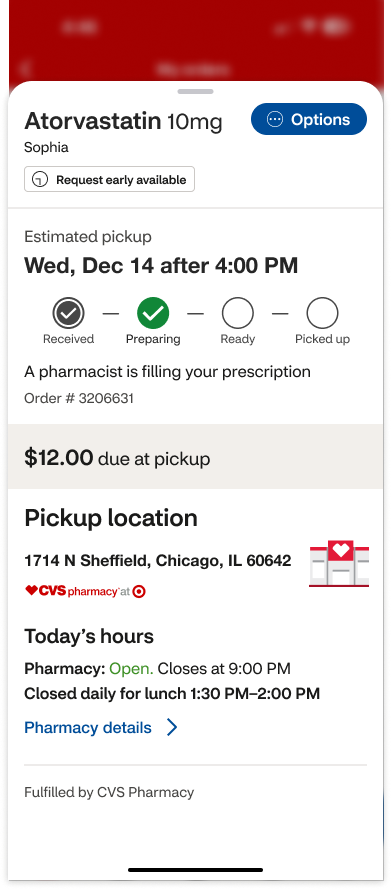
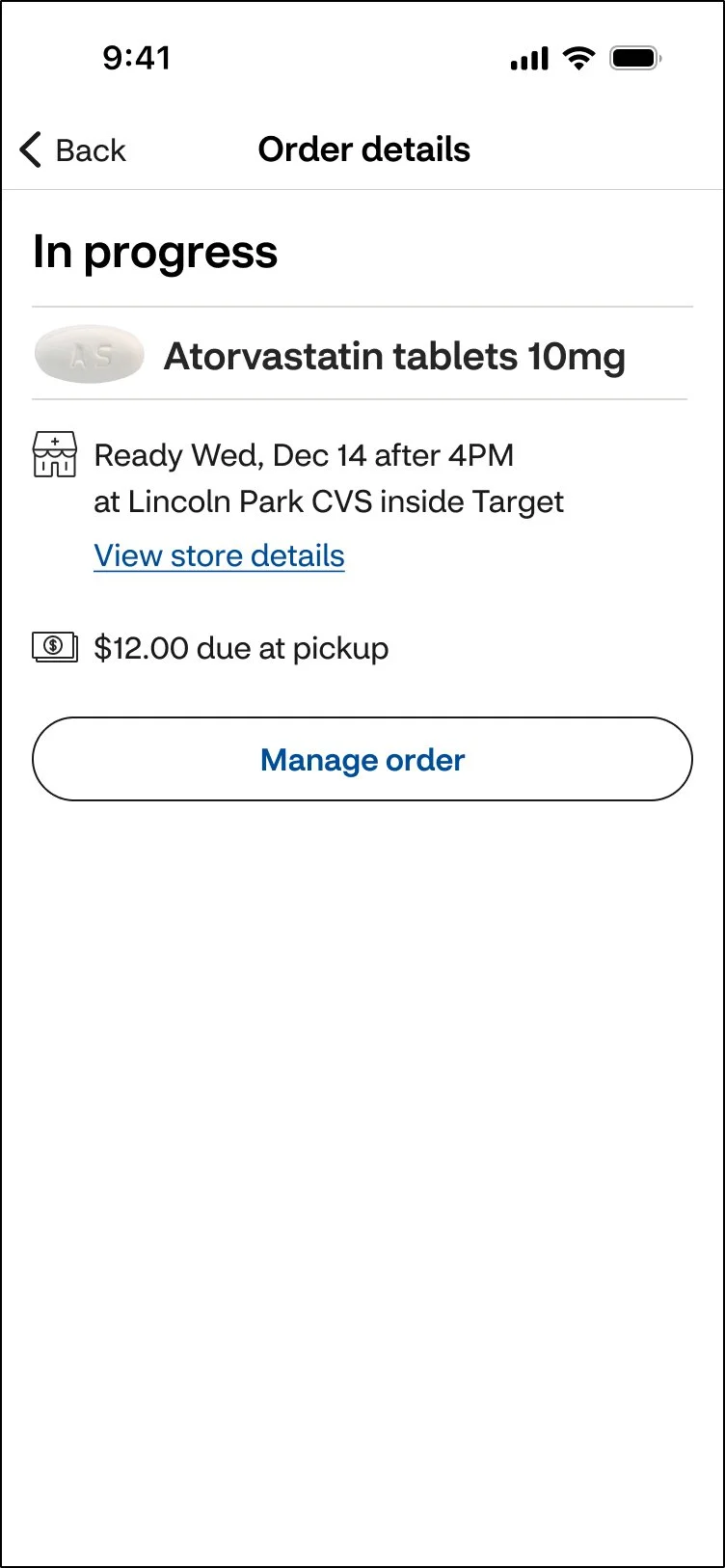
I aligned the layout around a clear information hierarchy: status, medication, timing, location, action. I replaced directive language like "Pick up Wed" with supportive language like "Ready Wed," removed internal numbers and badges that meant nothing to customers, moved store hours into Pharmacy Details where they belonged, and replaced the vague "Options" label with a clear primary action: Manage order.
After
Before
Managing prescription actions
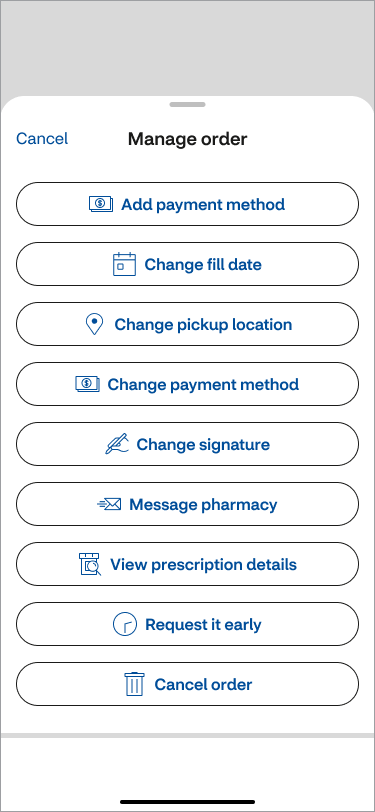
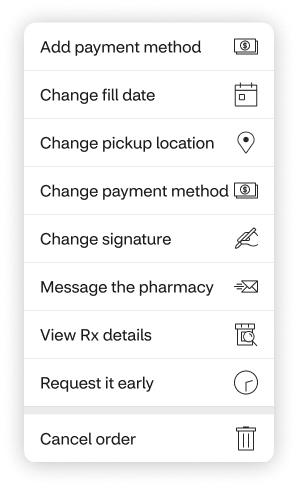
I introduced a single consistent entry point through Manage order, used a bottom sheet for secondary actions, simplified labels (plain "Prescription" instead of clinical "Rx"), and reduced visual clutter to make scanning faster.
After
Before


After
Before
Cancel order
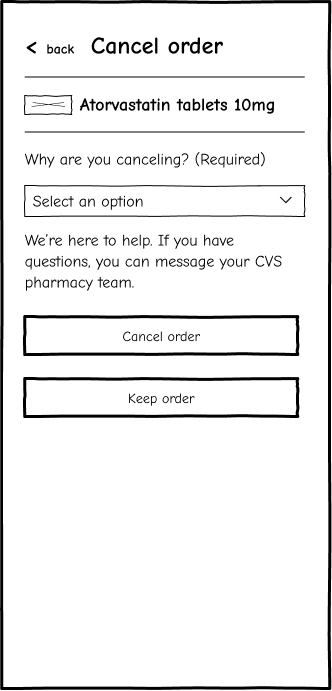
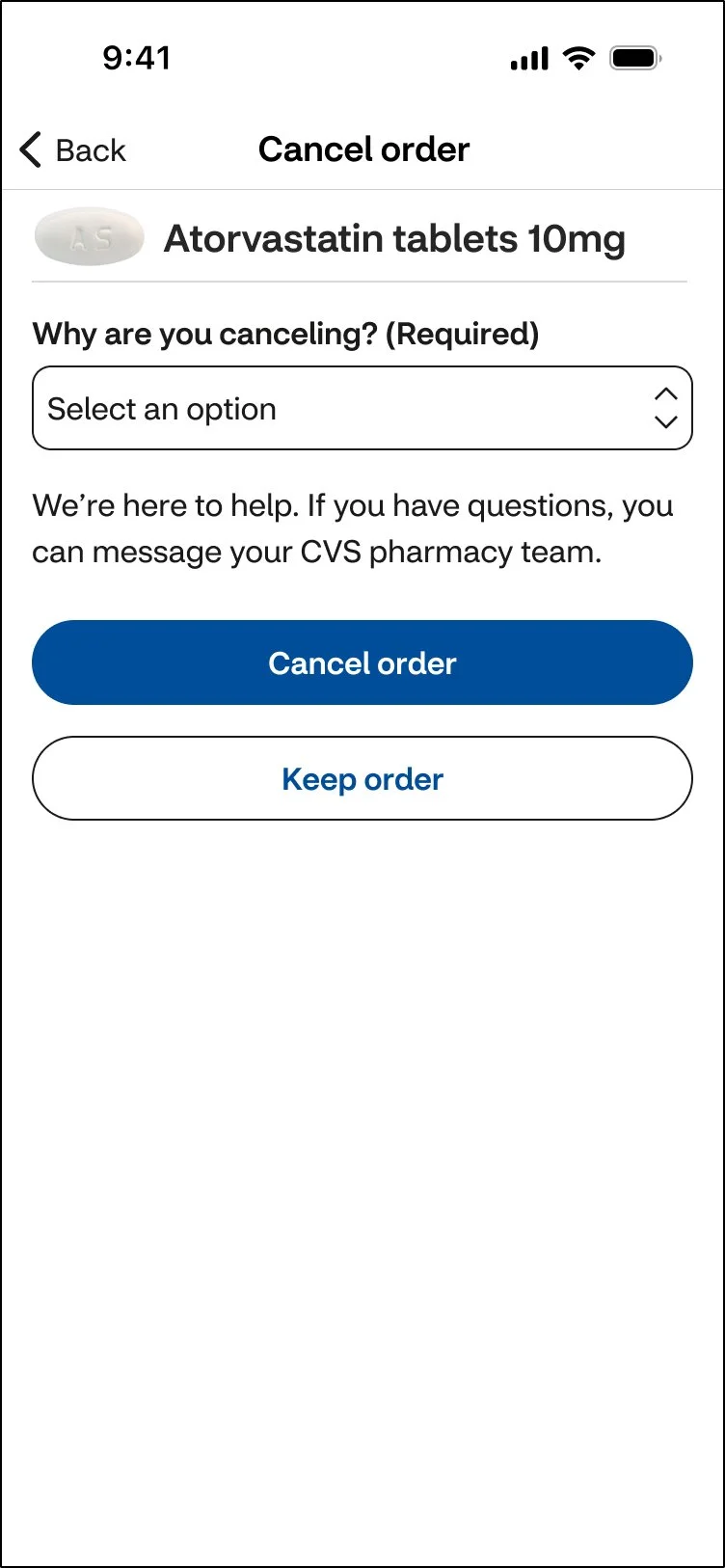
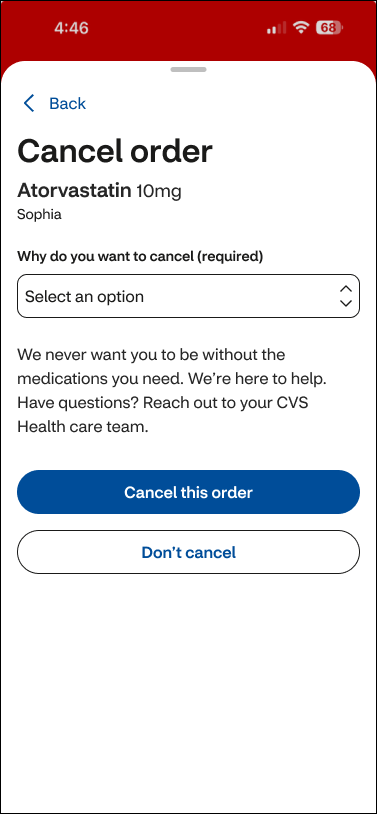
I reused the medication name and image for orientation, simplified the prompts for faster comprehension, and clarified the CTAs to "Cancel order" and "Keep order", plain language that removes any doubt about what will happen next.
Redesign
Before
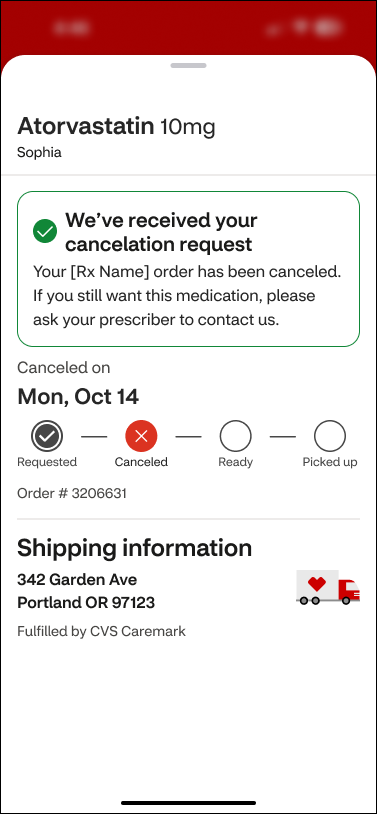
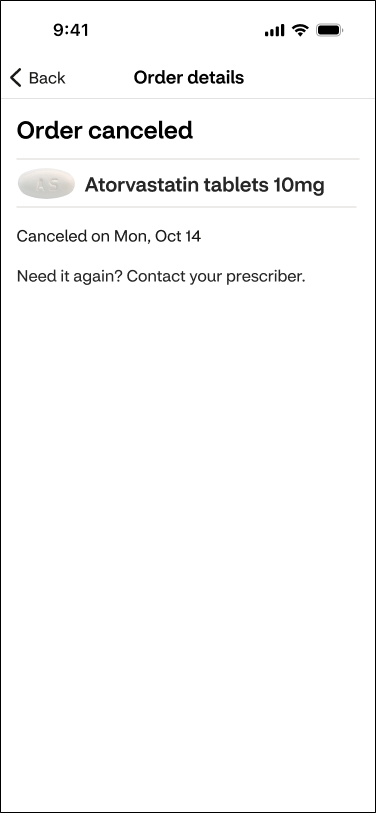
Order canceled confirmation
I used neutral confirmation styling, removed unnecessary trackers, and kept the message focused on what happened and what comes next. No celebration, no friction. Just clarity.
After
Before
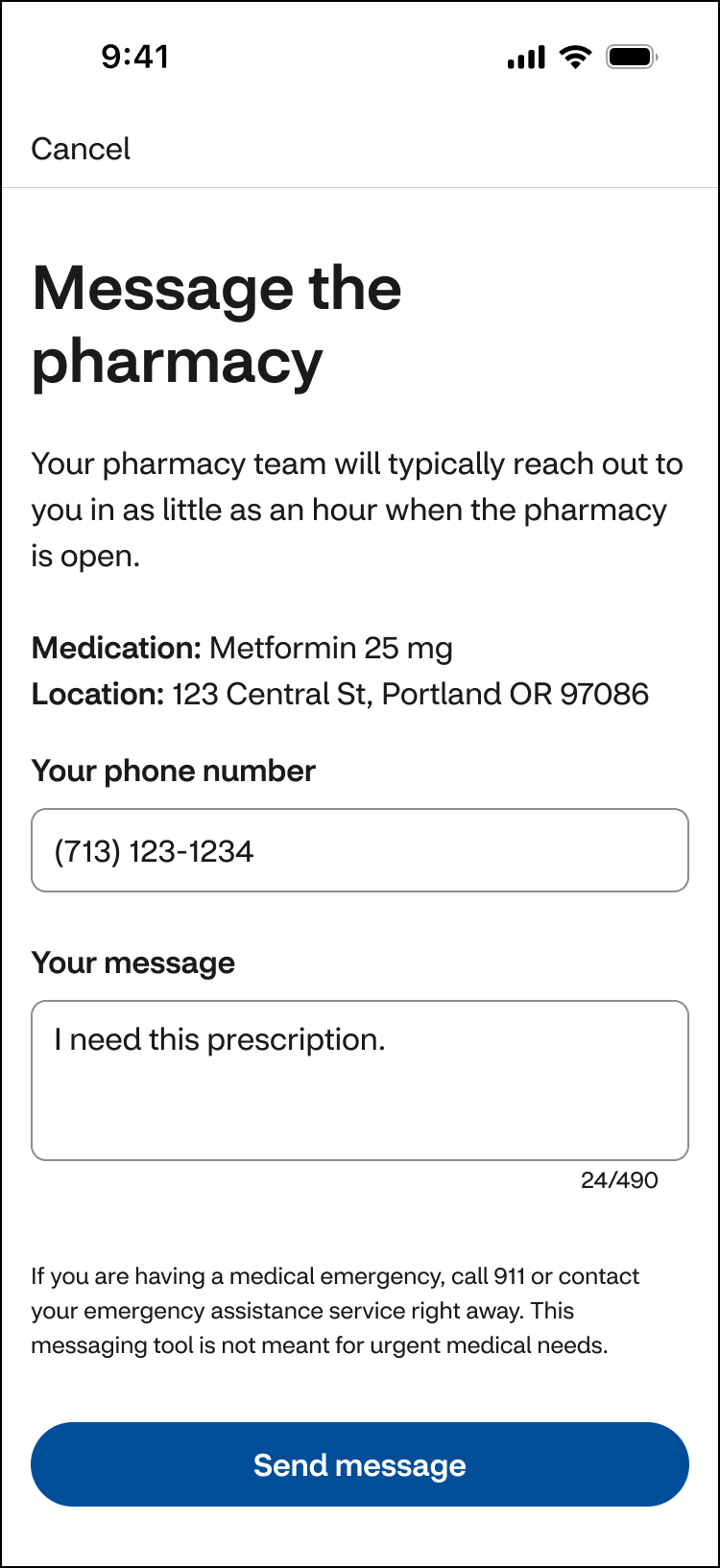
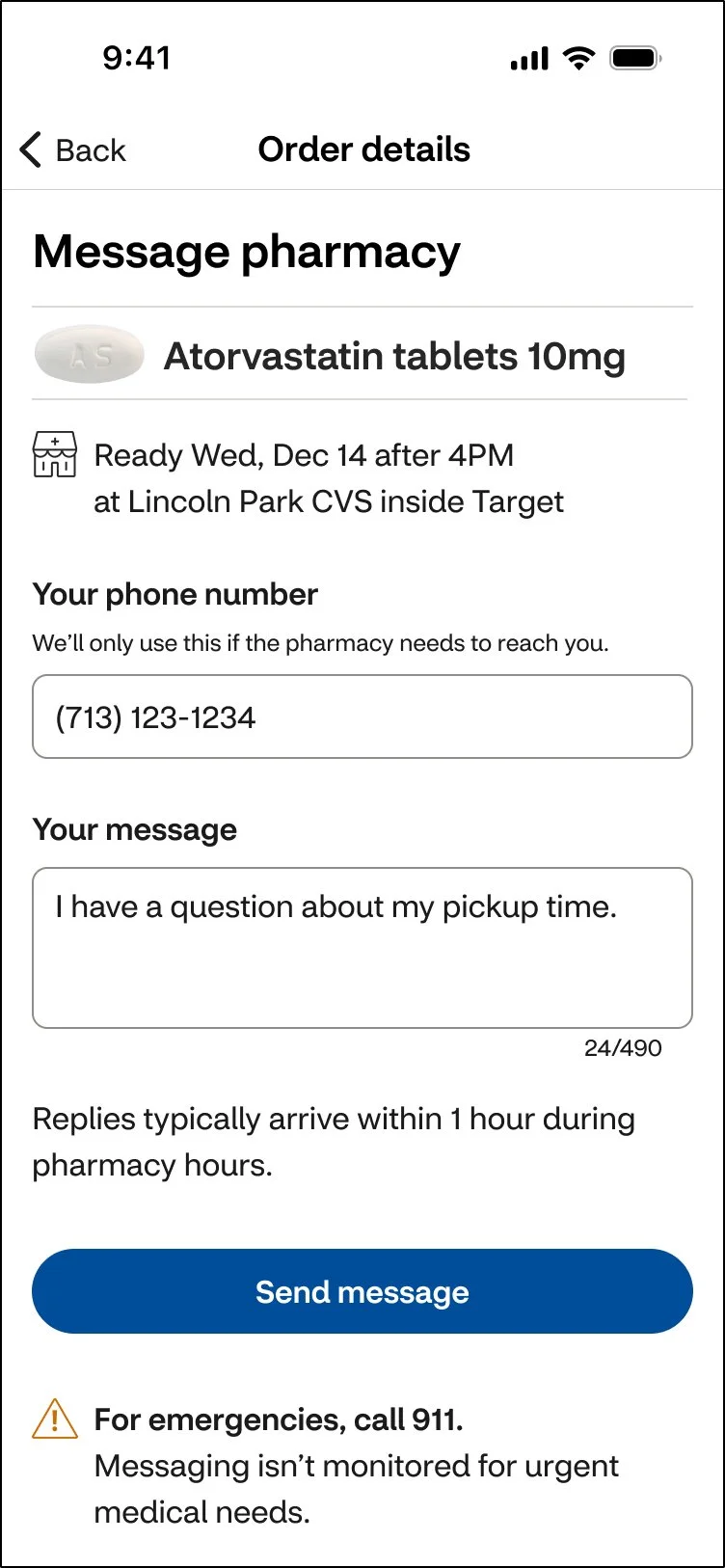
Message pharmacy
I maintained a consistent layout, placed response-time expectations near the CTA so customers knew what to expect, and highlighted emergency guidance clearly for customers who needed it most.
Before
After
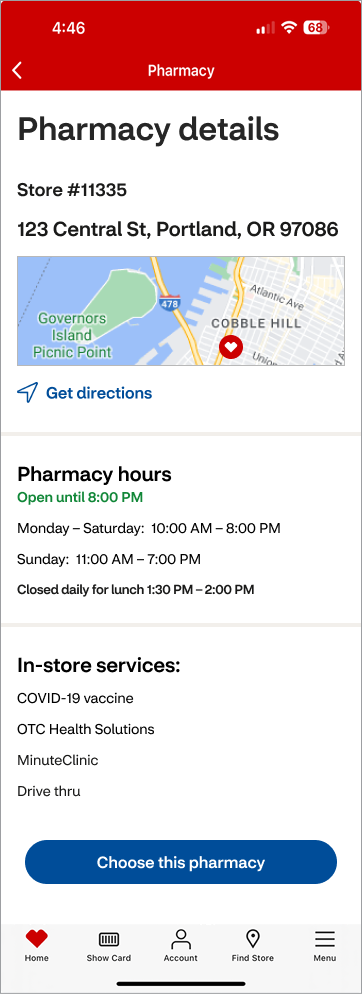
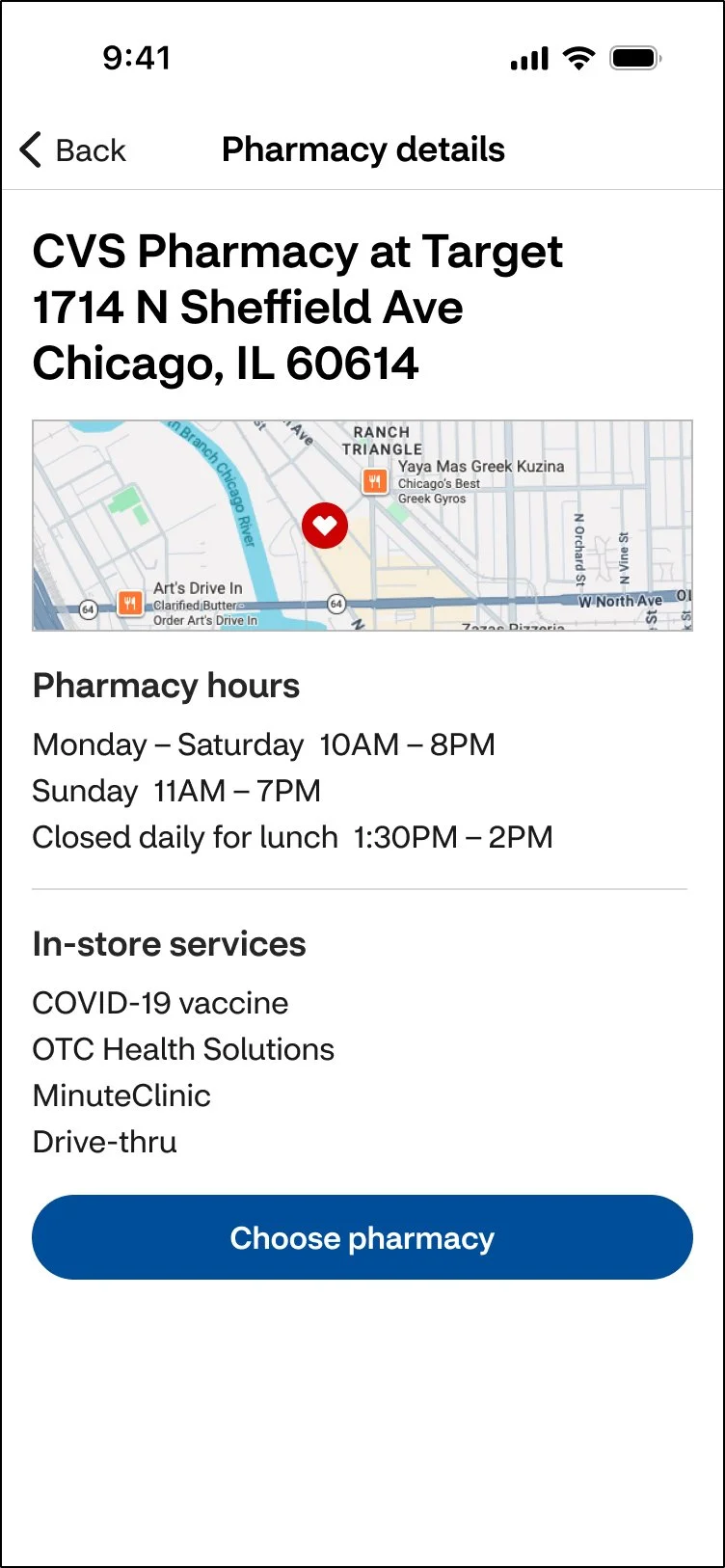
Pharmacy details
I simplified the typography hierarchy, removed color-dependent status cues, cleaned up time formatting, and removed global navigation to keep customers focused on the task at hand.
After
Before

Reflections
Research from Your Orders pointed to a larger problem: the same issues appeared across the actions customers use to manage their prescriptions. I took that insight beyond the original project and explored how CVS could create a simpler, more consistent system across Order Management.
🧩 One pattern across key pharmacy actions
I created shared patterns for order details, prescription actions, cancellations, pharmacy messaging, and pharmacy details. Instead of solving each screen on its own, the same rules could be reused across the larger experience.
👉 One clear action at a time
I simplified layouts, reduced competing messages, and created a consistent hierarchy for statuses and actions. Each screen was designed around the information customers needed most and one clear next step.
🛠️ Built for edge cases
Order Management touches many pharmacy workflows, so I designed the system to handle standard flows as well as cancellations, secondary actions, confirmations, and urgent messages. This created a foundation other designers could extend as new cases emerged.
👥 QA scaled to 30+ people
I created pharmacy’s first centralized QA workflow and trained 12+ designers to use it. Product and Engineering adopted the process, and it grew to support a 30+ person cross-functional team.
Team feedback
“Time and time again I’m impressed with the care, thoroughness and great quality of Nancy’s work—both how she works with people and the designs that she produces. She’s able to make good progress while collaborating with fellow designers and SCRUM team members. I note particularly how she gracefully handles many unexpected challenges that come up as details need to be worked out with development teams. When Nancy’s working on something, I’m happy to know I don’t need to worry about it, and I can look forward to excellent work and positive collaboration.” — Design Lead