
Your orders
Fortune 5 company • 60M+ digital customers
Role: Lead Product Designer (later, independent concept designer)
Platforms: iOS • Android • Web
Partners: Product • Pharmacy • Research • Content • Accessibility • Engineering
Project Tools: Figma • UserTesting • ChatGPT • Codex • Figma MCP
Your Orders helps patients check their prescription orders and statuses. Before launch, the pharmacy team wanted to know whether patients could understand the redesign.
As Lead Product Designer, I worked with a designer and UX researcher to test the experience. I shared the findings and my recommendations with the team. Later, I built on those findings through a personal ✦ AI concept.


One image could not load. Check both image URLs in the Code Block.
User research
I led a moderated study with 10 participants, working with a UX researcher and a designer. I wrote the test scripts and guided prototype development for two scenarios.
We focused on three questions:
🧠 Status clarity: Can patients understand their order status?
🔧 Self-service: Can patients complete tasks on their own?
🤝 Trust: Do patients feel sure about what happens next?
Scenario 1
Scenario 2

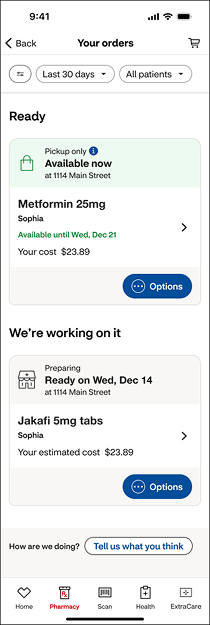
What we learned
🧠 Status clarity
Patients focused on the primary status but often missed supporting information including actions they needed to take.
Design implication: Establish one clear status, surface required actions, and clearly explain delays or issues.
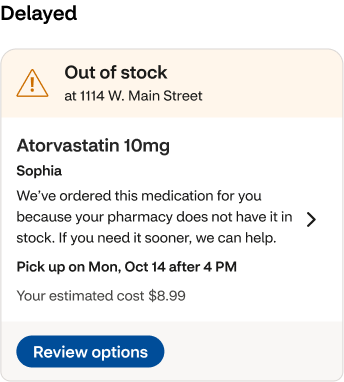

"I see that it's out of stock… It doesn't give me an option to see when it's going to be available."
🔧 Self-service
Patients could complete common tasks, but inconsistent labels and unclear confirmation left them unsure whether their actions were successful.
Design implication: Use consistent action labels and provide clear confirmation after completion.
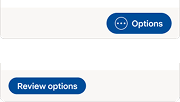
"So I put in a request to receive it early, I am not sure what exactly that will give me."

🤝 Trust
Patients relied heavily on “Ready on” dates and lost confidence when dates, statuses, and messages contradicted one another.
Design implication: Keep status, timing, and next steps aligned so patients know what to expect.
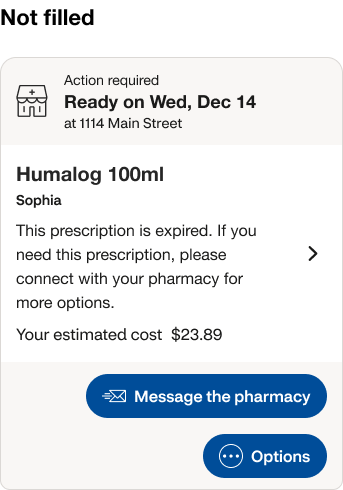
“I thought it was ready… I didn’t know I still needed to do something.”

✦ AI product vision
My research surfaced gaps in how patients understood their orders. The team kept the planned design for launch, with interest in revisiting it later.
I built on those findings through an independent AI concept: explaining order updates, answering questions, and helping patients take the next step.
Making statuses clear
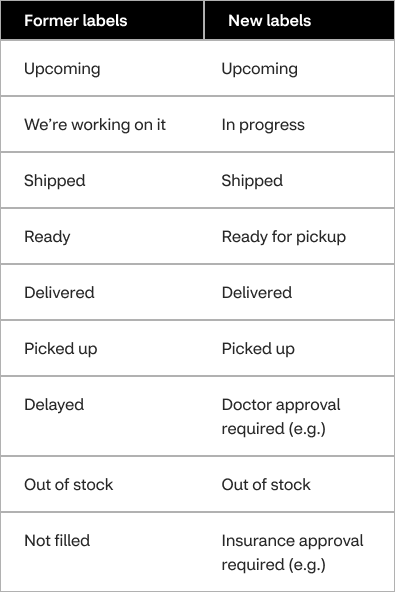
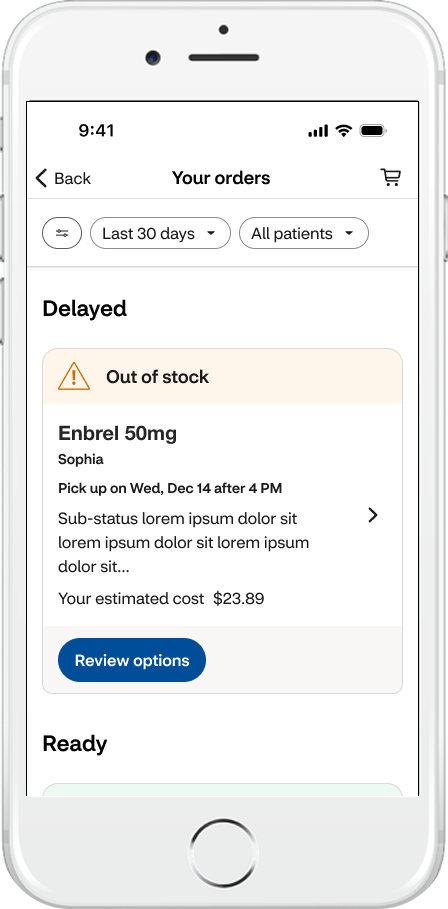
Patients focused on the main status and often missed supporting details. I made vague statuses more specific so patients could see what was happening at a glance.
Making the next step clear
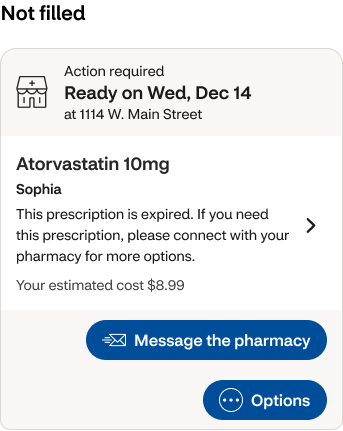
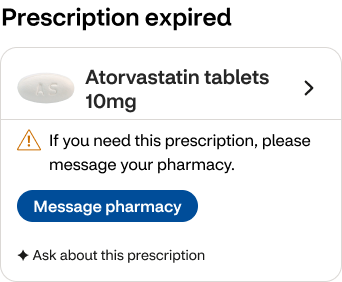
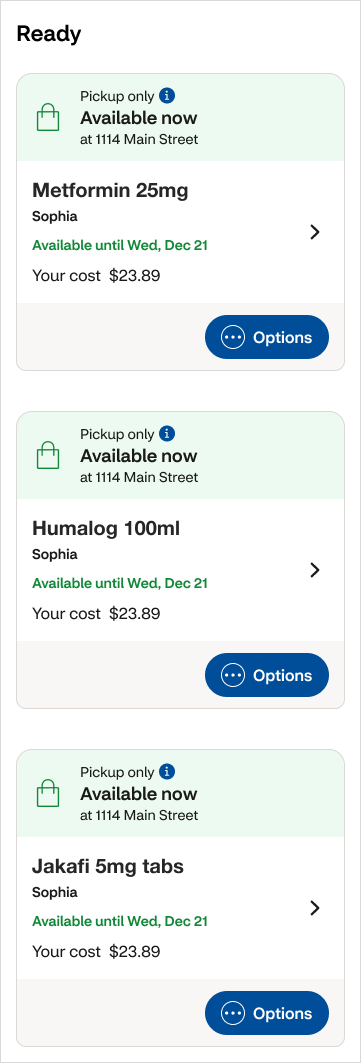
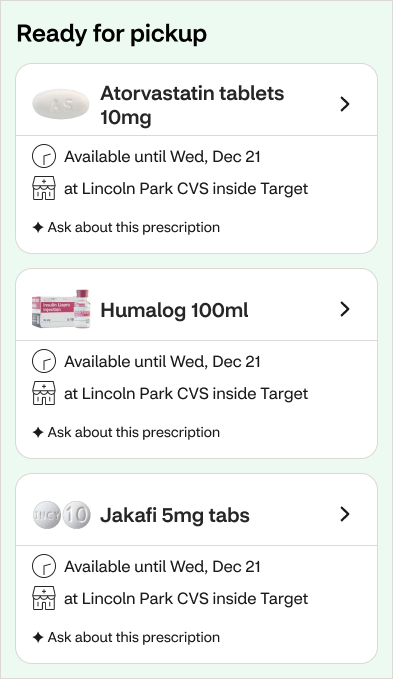
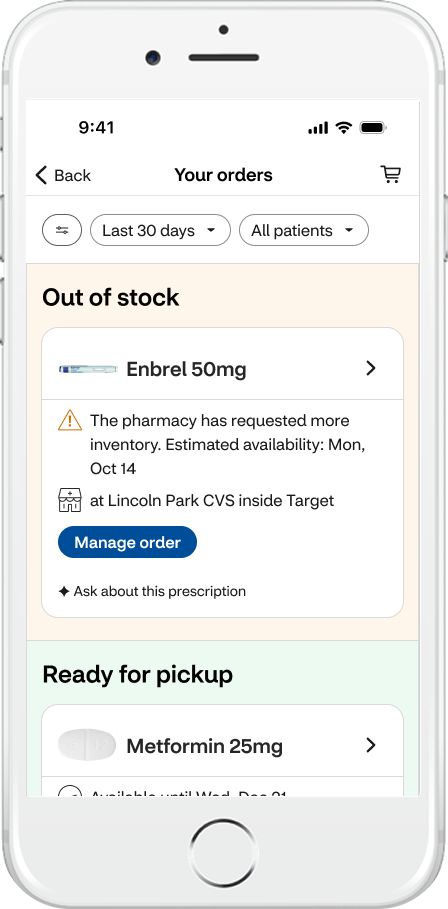
Based on the research, I simplified each card by:
Using one clear status
Moving secondary actions to Order Details
Adding “✦ Ask about this prescription” for help with that order
Grouped related order states within color-coded containers to create a clearer, more scannable system.
I also added medication images. I’d test whether they help patients find their prescriptions faster.
Before
After
Before
After
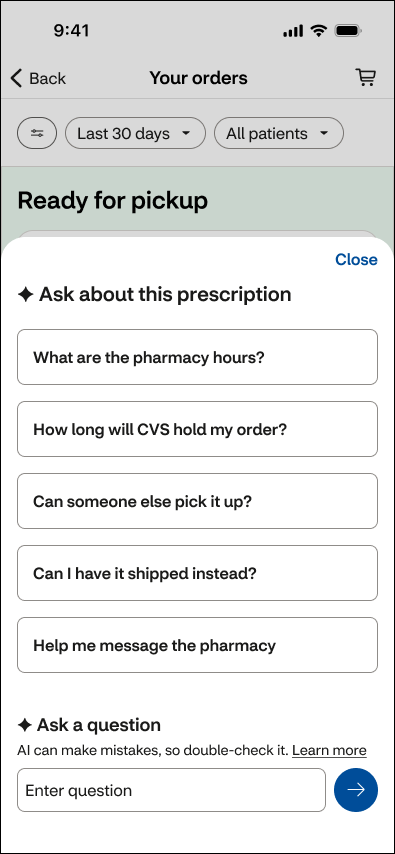
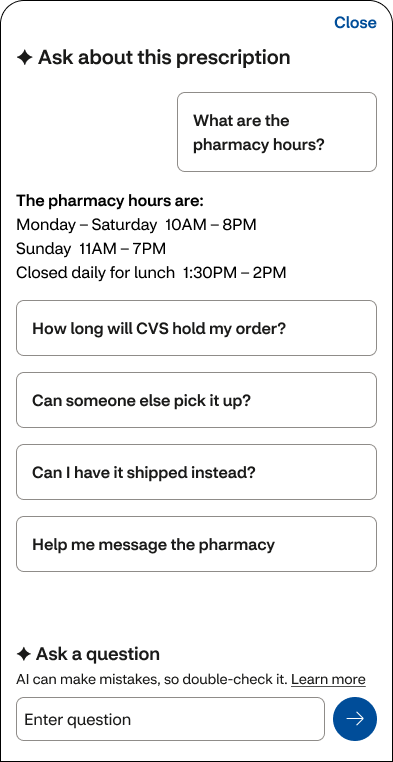
The AI should use current order data, be clear about what it doesn’t know, and help patients contact the pharmacy when needed.
I’d test the concept by first asking patients what they want to know about their orders, before showing suggested questions. Then I’d see whether they can find useful answers, understand what’s still unknown, and choose a next step.
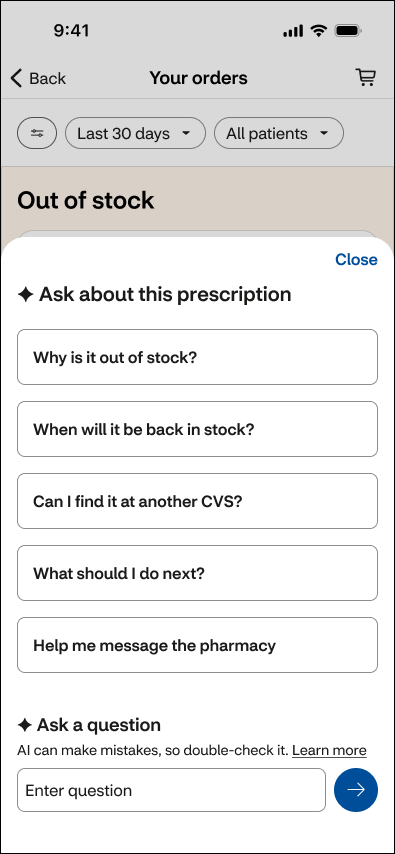
✦ Ask about this prescription
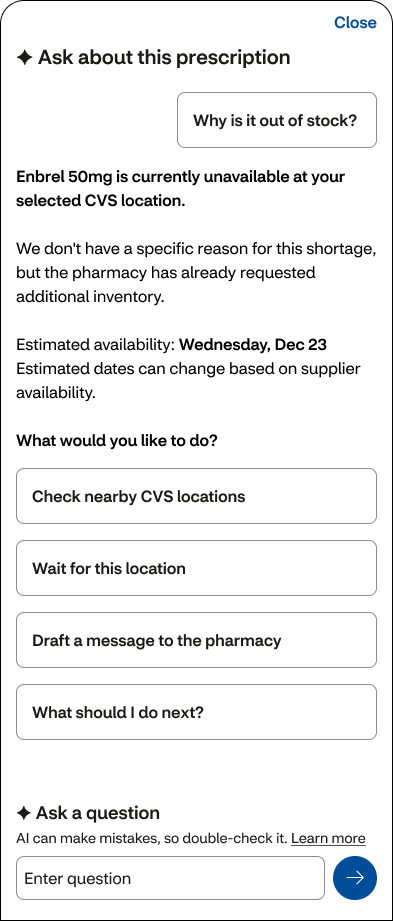
Out of stock
Why is it out of stock?
Ready for pickup
What are the pharmacy hours?
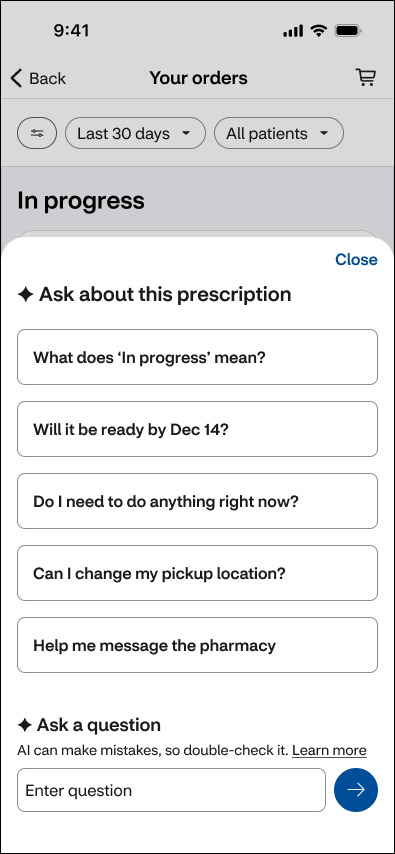
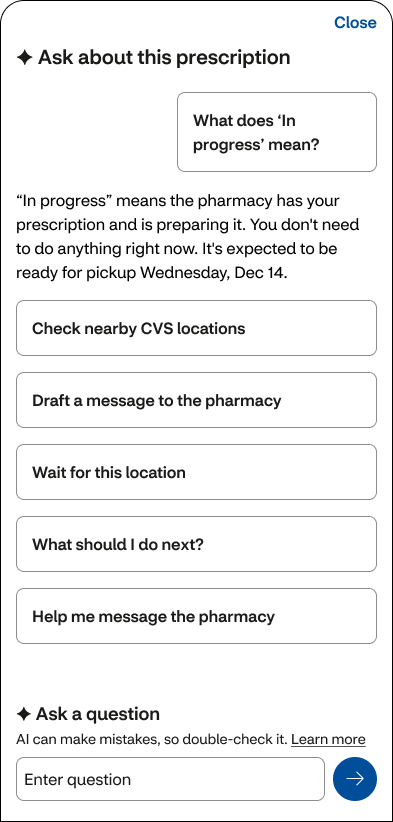
What does ‘in progress’ mean?
In progress
Concept designs
From a question to the next step
AI helps patients move from understanding a delay to taking action by drafting a message they can review before sending to the pharmacy.
Before
After


How I worked with AI
I used AI to explore ideas, challenge design choices, and think through what could go wrong. It helped me refine the wording and build Figma prototypes.
Figma MCP let the AI read and edit my designs. Codex helped me build and refine the prototype. I made the final product and design decisions.

Outcomes
👥 What happened after research
The team put the recommended changes in the backlog and shipped the planned design. Since the changes weren’t made, I couldn’t measure their effect.
📏 Created a shared QA process
The pharmacy team had no shared QA process. I created one central place for Product, Engineering, and UX to review design issues. I trained 12+ designers to use it, supporting a cross-functional team of 30+ people.
✨ Explored an AI concept
I built on the research to explore how AI could help patients understand their orders and take the next step.
Team feedback
“Time and time again I’m impressed with the care, thoroughness and great quality of Nancy’s work—both how she works with people and the designs that she produces. She’s able to make good progress while collaborating with fellow designers and SCRUM team members. I note particularly how she gracefully handles many unexpected challenges that come up as details need to be worked out with development teams. When Nancy’s working on something, I’m happy to know I don’t need to worry about it, and I can look forward to excellent work and positive collaboration.” — Design Lead