
Transfer prescriptions
Fortune 5 company • 60M+ digital customers
Role: Lead Product Designer
Platforms: iOS • Android • Web
Team: Product • Business • Pharmacy • Research • Content • Accessibility • Engineering
Transfer Prescriptions helps customers move prescriptions from a non-CVS pharmacy to CVS for themselves or someone else on their account, whether they're logged in or not.
As Lead Product Designer, I inherited the initial designs ahead of development and owned the experience from design review through launch and post-launch optimization. I partnered with Product, Business, Pharmacy, Copywriting, and Engineering, overseeing design quality through the team's first Flutter implementation and leading a rapid redesign in response to significant post-launch drop-off.

One image could not load. Check both image URLs in the Code Block.
Research
During pre-launch design review, I identified friction in the existing flow. Because the experience was already approved for launch, Product and I agreed to use behavioral data to validate where improvements were most needed. After launch, Adobe Analytics confirmed significant early drop-off, giving us the evidence to prioritize improvements.
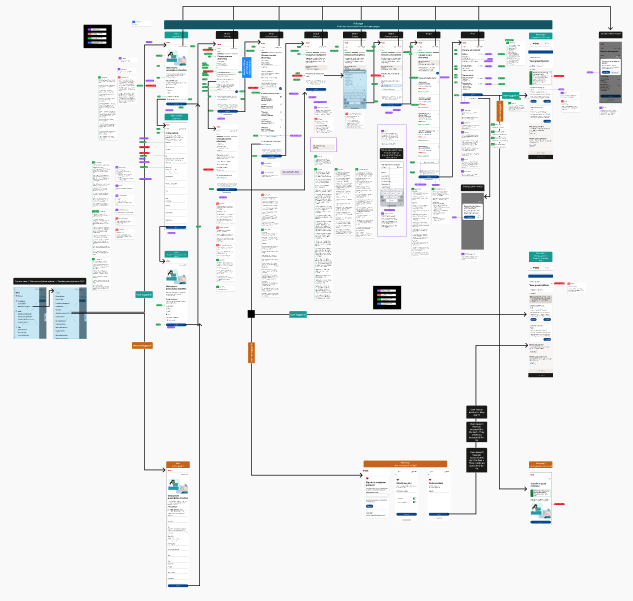
Annotated designs
Prioritizing the biggest friction point
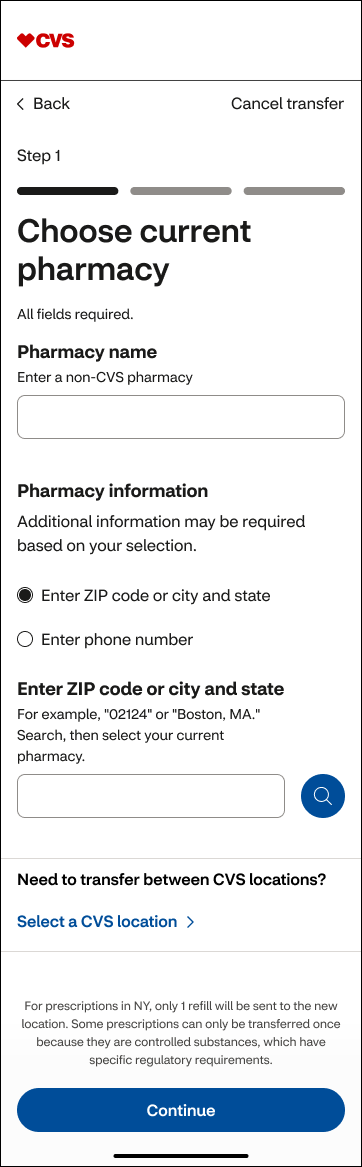
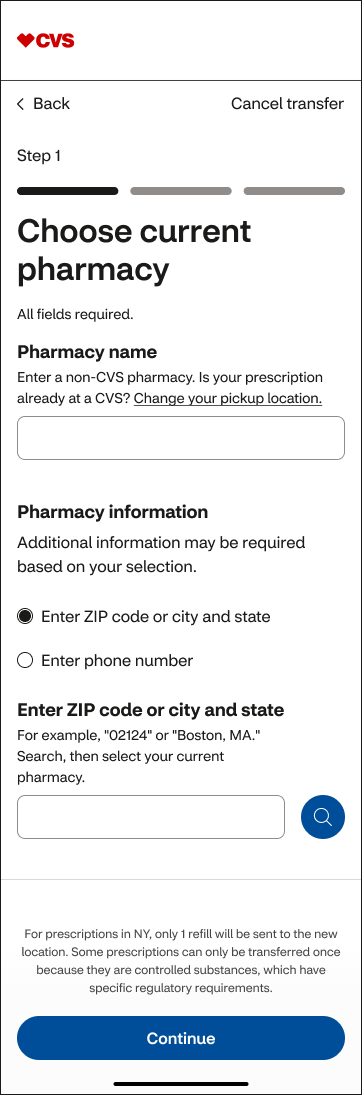
Shortly after launch, I partnered with Product and Business to examine the analytics. A significant number of customers were selecting “Need to transfer between CVS locations?”, which took them out of the flow—and many didn't return to complete it. The drop-off was significant enough to make this an immediate priority.
Without budget for usability testing, we couldn't know why. I formed two hypotheses:
Intentional: Customers needed a CVS-to-CVS transfer, but they were forced to navigate a long screen before finding the alternate path.
Unintentional: The option looked like a required step in the primary transfer flow.
I designed for both: moving the alternate path to the top of the page so customers who needed it could get to the right experience sooner, while visually separating it from the primary flow so customers who didn't need it were less likely to mistake it for a required step. I then worked with Engineering to ship the update quickly. 🚀
Before
After
Rethinking the full experience
After solving the immediate problem, I independently explored what the end-to-end experience could become.
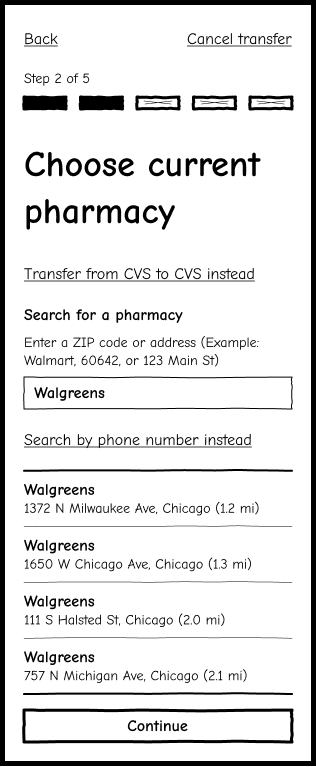
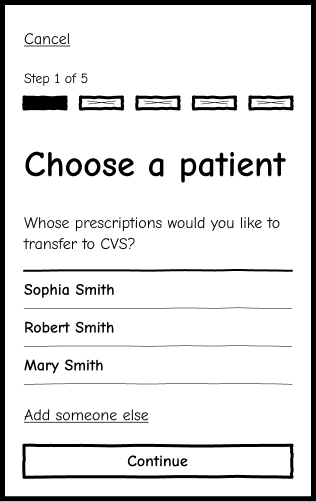
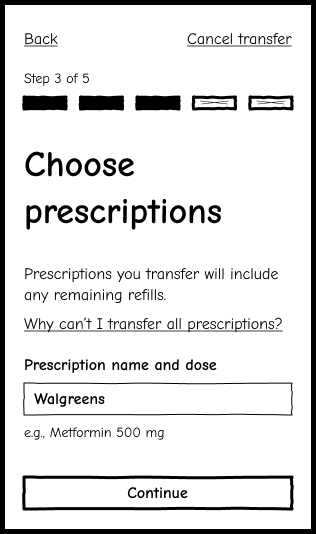
Stripped each screen down to its essential content and actions, creating clearer hierarchy, simpler interactions, and more consistent patterns.
Introduced a five-step progress indicator to accurately reflect the full journey and set clear expectations.
Final designs
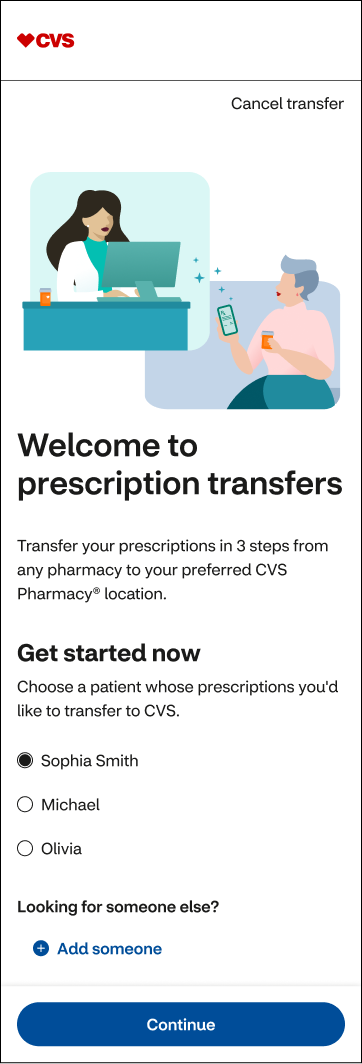
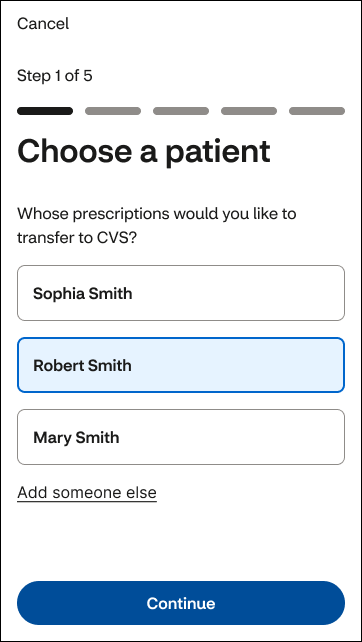
Step 1: Choose a patient
Removed global navigation to keep the flow focused.
Added a progress indicator to set expectations.
Removed a nonessential illustration that didn't support the task.
Removed “Welcome” since this was a task flow, not a destination.
Simplified copy for faster scanning.
Used native components from the app's UI toolkit.
Made “Add someone else” secondary to clarify action hierarchy.
Before
After
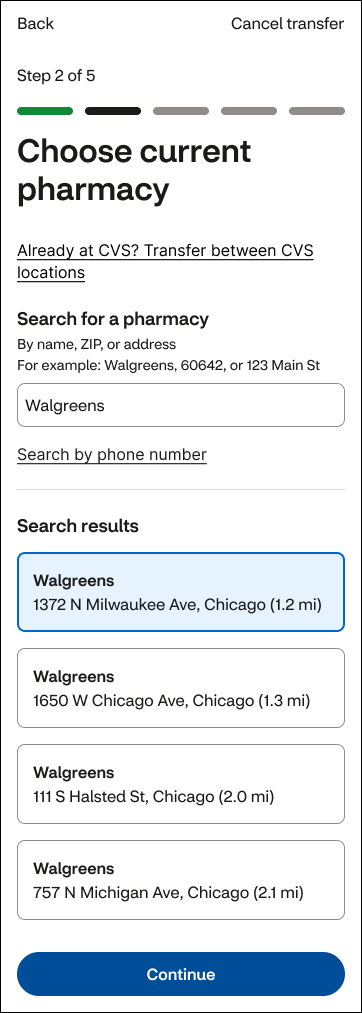
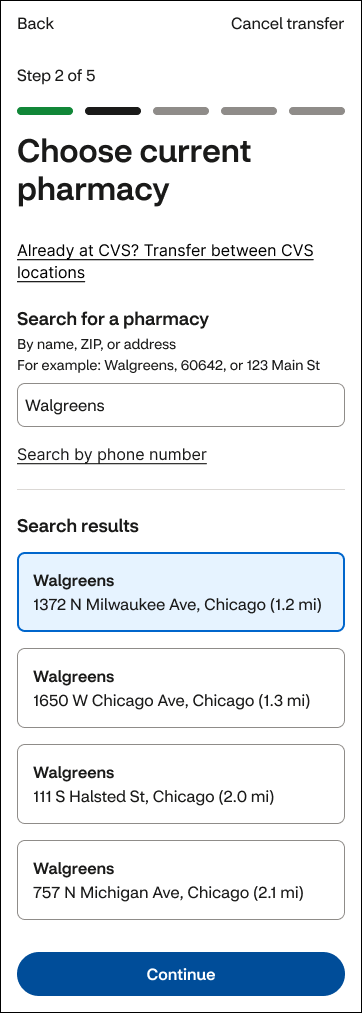
Step 2: Pharmacy selection
Expanded search beyond pharmacy name to include ZIP code and address.
Used native components from the app's UI toolkit.
Made phone search a secondary option.
Added distance to help customers choose a location faster.
Moved and visually separated “Already at CVS?” from the primary flow.
Moved secondary and regulatory information into a sheet to keep the primary task focused.
Before
After

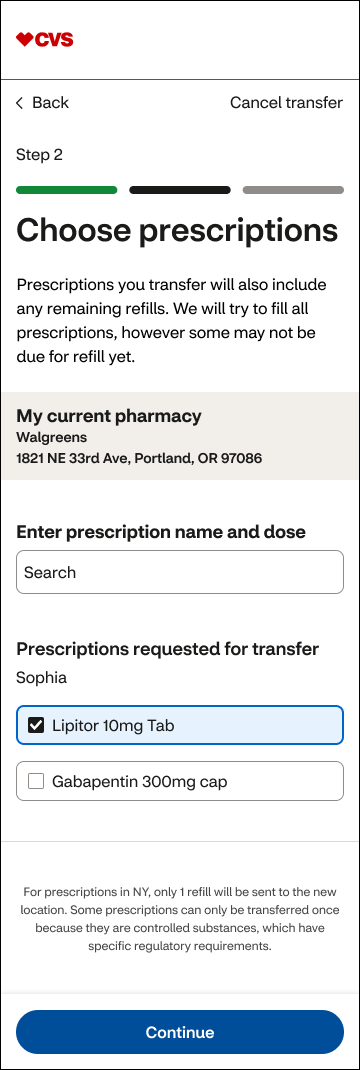
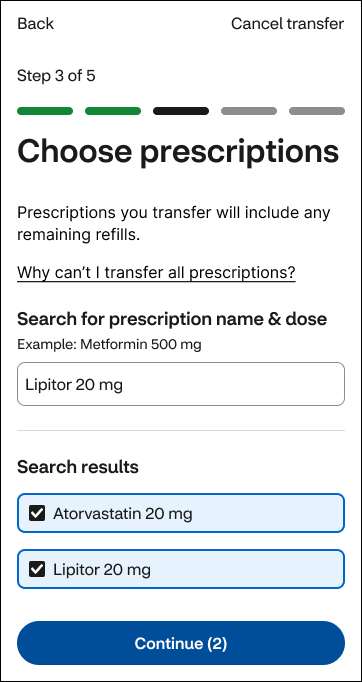
Step 3: Prescription selection
Shortened copy to reduce cognitive load.
Removed “My current pharmacy” since that context was no longer needed.
Updated the CTA to reflect the number of prescriptions selected.
Before
After
Edge cases and errors
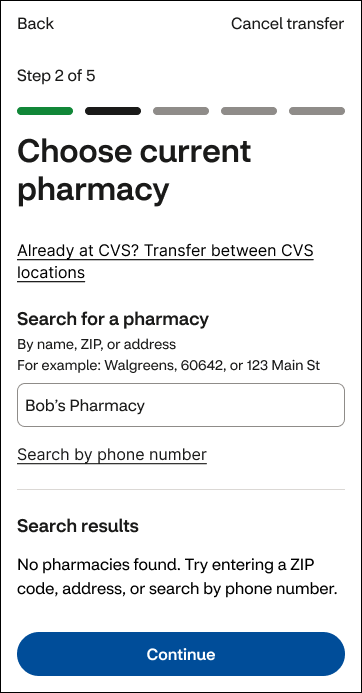
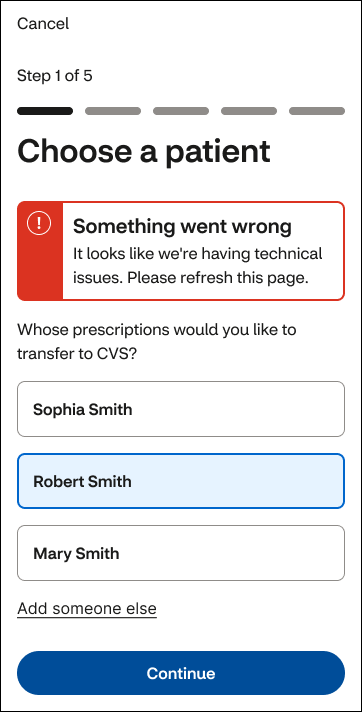
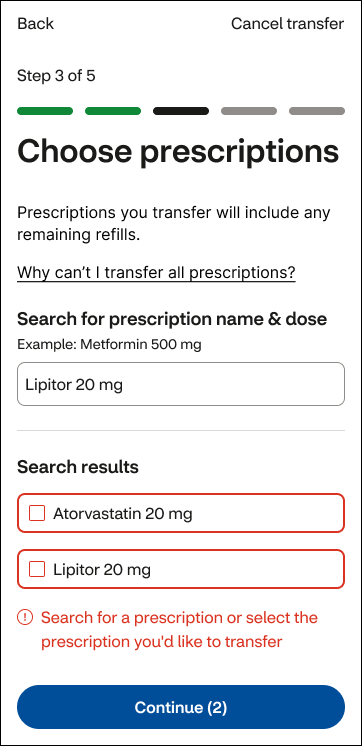
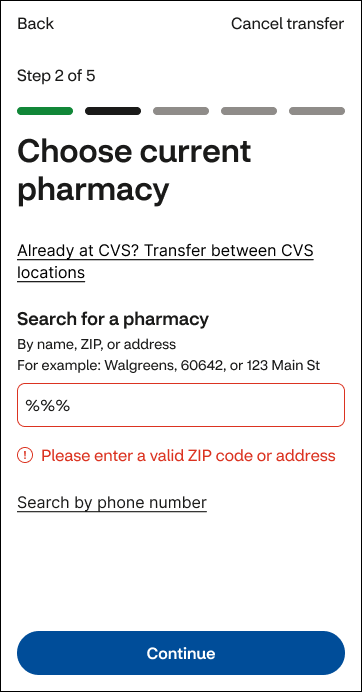
I extended the same patterns across edge cases and error states, keeping the experience predictable when things didn't go as planned.
Field-level validation error
Field-level validation error
System-level error
No results state
End-to-end flow
A clearer five-step experience designed to reduce friction from pharmacy selection through submission.

Impact
🚀 Shipped the highest-impact fix
Used post-launch behavioral data to identify a significant point of drop-off, prioritize an immediate redesign, and work with Engineering to quickly ship the updated CVS-to-CVS transfer path.
🌎 Explored the broader opportunity
Independently redesigned the end-to-end transfer journey. I left CVS shortly after completing the exploration, before it moved into stakeholder review or implementation.
💪🏻 Supported a new technical implementation
Oversaw design quality through the team's first Flutter implementation, partnering with Engineering through development and QA.
✅ Scaled QA across 30+ people
Created Pharmacy's first centralized QA workflow and trained 12+ designers to use it. Product and Engineering adopted the process, scaling it across a 30+ person cross-functional team.
Team feedback
“Time and time again I’m impressed with the care, thoroughness and great quality of Nancy’s work—both how she works with people and the designs that she produces. She’s able to make good progress while collaborating with fellow designers and SCRUM team members. I note particularly how she gracefully handles many unexpected challenges that come up as details need to be worked out with development teams. When Nancy’s working on something, I’m happy to know I don’t need to worry about it, and I can look forward to excellent work and positive collaboration.” — Design Lead